DuoDesk Fold Remote
Remote desktop, laptop-style
DuoDesk is a remote desktop for iPhone Duo that changes with the way you fold it. It works on any iPhone and iPad too.
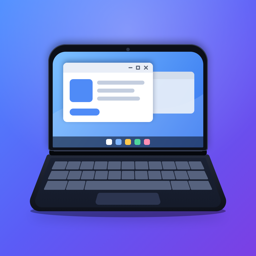
Fold it halfway like a laptop and your PC fills the top half, with a full keyboard and trackpad on the bottom half. Open it flat to see the whole desktop. Close it and the cover screen becomes a trackpad.
Built for the fold
- Laptop mode: your desktop on top, a PC keyboard and trackpad below
- Open flat for the full desktop
- The cover screen works as a trackpad
- No reflow: the remote desktop keeps the inner screen's shape, so your windows stay where they are when you fold, unfold or tent the phone
On iPad and other iPhones
- The desktop fills the screen, and on iPad it follows the iPad's orientation
- With a trackpad or mouse on iPad, Windows' cursor follows your pointer, and right-click and scrolling work like on a PC
- Touch and trackpad modes work everywhere
Several PCs, and sound
- Keep several PCs connected and switch between them
- Go back to your PC list without disconnecting
- Hear your PC's sound on your device, or leave it playing on the PC
Sharp and smooth
- Full-resolution rendering, with Windows scaling keeping text readable
- Hardware H.264 (AVC444) decoding
- Metal rendering that redraws only what changed
A keyboard that works like one
- Hardware keyboard keys go through as real scancodes, so shortcuts work
- The on-screen keyboard adds Esc, Tab, Ctrl, Alt, Win, arrows, F-keys and Ctrl+Alt+Del
- Sticky modifiers: tap once for the next key, tap twice to lock
And the essentials
- Touch and trackpad modes, pinch to zoom
- Remote Desktop Gateway support
- Automatic reconnect
- Certificate prompts that let you trust a PC once or always
- Passwords kept in the iOS Keychain
Free to try
Every feature is free for 7 days. After that, DuoDesk Full Version is a one-time in-app purchase, not a subscription.
Private by design
DuoDesk connects straight to your PC. There's no account, no cloud relay, no analytics and no ads.
DuoDesk connects to PCs and servers that have Remote Desktop turned on (Windows Pro, Enterprise, Education or Server).
Support
Which computers can DuoDesk connect to?
PCs and servers with Remote Desktop turned on: Windows Pro, Enterprise, Education and Windows Server. Windows Home doesn't include a Remote Desktop host.
It can't connect to my PC. What should I check?
Make sure Remote Desktop is turned on in the PC's settings, that your phone can reach the PC (the same Wi-Fi, or a VPN such as Tailscale when you're away), and that DuoDesk is allowed to use the local network (iPhone Settings → DuoDesk → Local Network). The default port is 3389.
Is my connection secure?
Connections are encrypted with TLS and Network Level Authentication, exactly as your PC requires. Passwords are kept in the iOS Keychain on your phone. DuoDesk has no servers, so nothing passes through us.
Do I need an iPhone Duo?
No. DuoDesk works on any iPhone or iPad with iOS 27.1 or later. iPhone Duo adds laptop mode, the full-desktop fold and the cover-screen trackpad.
How much does DuoDesk cost?
Every feature is free for 7 days. After that, DuoDesk Full Version is a one-time in-app purchase, not a subscription, and it works on all your iPhones and iPads signed in to the same Apple Account. Restore Purchases on the purchase screen brings it back after reinstalling.
Can I use a trackpad or mouse on iPad?
Yes. Windows' cursor follows your pointer, a right-click or two-finger click opens Windows' context menus, and scrolling works like on a PC. A hardware keyboard works too, shortcuts included.
Privacy
DuoDesk Fold Remote doesn't collect any data. Read the privacy policy.